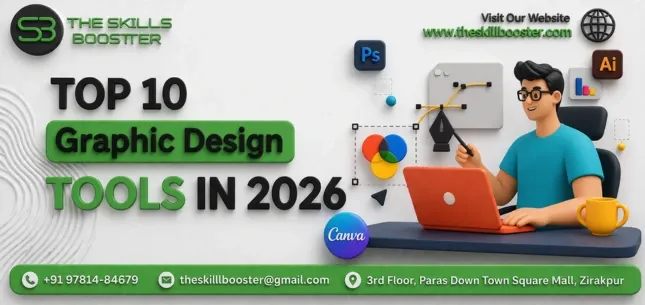
The graphic design industry has undergone a massive transformation. Artificial intelligence is no longer a futuristic concept — it is now deeply embedded into the world’s most powerful design platforms. In 2026, the most successful designers are not necessarily the most technically skilled artists; they are the ones who know how to combine strong design fundamentals with the right AI-powered tools to produce faster, smarter, and more impactful creative work.
Whether you are a student just starting your design journey, a freelancer building your client portfolio, or a marketing professional managing brand visuals, choosing the right graphic design software directly impacts the quality of your output and your competitive edge in the job market.
This guide covers the 10 best graphic design tools in 2026, with detailed breakdowns of their AI capabilities, best use cases, pricing models, and who each tool is best suited for. We have included everything from industry stalwarts like Adobe Photoshop and Adobe Illustrator to AI-native platforms like Adobe Firefly, Midjourney, and Krea AI.
1. Adobe Photoshop 2026 — Best for Photo Editing & Digital Compositing
Adobe Photoshop is the undisputed industry standard for photo editing, digital manipulation, and raster-based design. The 2026 edition takes everything that made Photoshop legendary and supercharges it with deeply integrated AI features powered by Adobe Sensei and the Firefly generative engine.
The most transformative addition is Generative Fill, which allows designers to select any area of an image and fill it with AI-generated content simply by typing a description. Want to replace a cloudy sky with a dramatic sunset? Add a product to an empty table? Remove a person from a busy street scene? Photoshop’s Generative Fill does it in seconds. The new Generative Expand feature extends image boundaries intelligently, making it effortless to repurpose portrait-oriented photos into landscape formats for different platforms.
Photoshop’s Neural Filters suite now includes AI-powered skin smoothing, age adjustment, facial expression changes, and style transfer — all non-destructive and fully adjustable. Real-time cloud collaboration makes Photoshop a viable team tool for remote design studios.
Best For: Professional photographers, digital artists, retouchers, and marketing teams Key AI Features: Generative Fill, Generative Expand, Neural Filters, AI Background Removal, Sky Replacement Pricing: Included in Adobe Creative Cloud (approx. ₹1,675/month for individuals) 🔗 Try it: adobe.com/in/products/photoshop.html
2. Adobe Illustrator — Best for Vector Design, Logos & Brand Identity
When it comes to logo design, brand identity systems, icon creation, and scalable vector artwork, Adobe Illustrator has no equal. Its vector-based architecture ensures that every design can scale from a business card to a 40-foot billboard without losing a single pixel of sharpness.
The 2026 update introduces Text-to-Vector Generation powered by Adobe Firefly, allowing designers to type a description and receive editable vector illustrations instantly. The AI-powered vectorization tool in Illustrator converts raster images into clean, layered vector files in seconds — a task that previously took hours of manual tracing.
Illustrator’s advanced typography controls, variable font support, and seamless integration with Adobe Libraries make it essential for brand designers who need consistency across every touchpoint of a visual identity system. If graphic design is your career path, mastering Adobe Illustrator is non-negotiable.
Best For: Logo designers, brand identity specialists, illustrators, and print designers Key AI Features: Text-to-Vector Generation, AI Vectorization, Smart Spacing, Generative Recolor Pricing: Included in Adobe Creative Cloud 🔗 Try it: adobe.com/in/products/illustrator.html
3. Canva AI — Best for Social Media, Marketing Visuals & Non-Designers
Canva has evolved from a simple drag-and-drop template tool into one of the most powerful AI-driven design platforms in the world. In 2026, Canva’s Magic Studio suite has made professional-quality design accessible to absolutely everyone, regardless of technical skill.
Canva’s Magic Design generates complete, on-brand design templates from a single text prompt. Magic Write produces copy for your designs using AI. Magic Media creates images and short videos from text descriptions. Magic Morph transforms any design element — shapes, text, illustrations — using natural language commands. The Brand Kit feature in Canva ensures that brand colors, fonts, and logos are applied consistently across every design your team creates.
Canva is particularly powerful for social media marketers, content creators, small business owners, and marketing teams who need to produce large volumes of high-quality visuals across Instagram, Facebook, LinkedIn, YouTube, and beyond — all without hiring a dedicated designer.
Best For: Social media managers, entrepreneurs, marketers, educators, and beginners Key AI Features: Magic Studio, Magic Design, Magic Write, Magic Media, Brand Kit Pricing: Free plan available; Canva Pro at approx. ₹4,999/year 🔗 Try it: canva.com
4. Figma — Best for UI/UX Design, Prototyping & Product Design
Figma is the definitive tool for UI/UX designers, product designers, and development teams building digital products. Its browser-based collaborative environment means entire product teams can co-design, comment, and iterate in real time — no file versions, no email chains, no confusion.
In 2026, Figma AI allows designers to describe interface components, states, or full screen layouts in plain language and generate editable UI elements automatically. The Auto Layout and Variables systems in Figma enable designers to build truly responsive, dynamic design systems that mirror how interfaces actually behave in code.
Figma’s Dev Mode creates a seamless handoff between design and development teams, auto-generating CSS, iOS, and Android code from any design element. FigJam, Figma’s collaborative whiteboard tool, serves as a powerful UX research and brainstorming platform that keeps the entire product workflow within a single ecosystem.
Best For: UI/UX designers, product designers, front-end developers, and product teams Key AI Features: Figma AI component generation, Auto Layout, Variables, Prototyping Pricing: Free plan available; Professional plan from approx. ₹1,000/month per editor 🔗 Try it: figma.com
5. Adobe Firefly — Best AI Image Generator for Commercial Design Work
Adobe Firefly is Adobe’s dedicated generative AI platform and one of the most significant developments in the design industry in recent years. What sets Firefly apart from other AI image generators is that it is trained exclusively on licensed, copyright-cleared content — making its outputs fully safe for commercial use without any legal risk.
Adobe Firefly supports text-to-image generation, text-to-vector creation, generative fill, style reference generation, and even 3D-to-image rendering. Its deep integration with Photoshop, Illustrator, Adobe Express, and Premiere Pro means designers can trigger Firefly’s generative capabilities directly within their existing workflows without switching apps.
In 2026, Firefly’s Style Reference feature allows designers to upload a reference image and generate new visuals that match its aesthetic — making it extraordinarily powerful for maintaining visual consistency across a campaign or brand.
Best For: Creative professionals, marketing teams, brand designers, and advertising agencies Key AI Features: Text-to-Image, Text-to-Vector, Generative Fill, Style Reference, 3D-to-Image Pricing: Included with Adobe Creative Cloud; standalone credits available 🔗 Try it: firefly.adobe.com
6. Midjourney v7 — Best AI Tool for Concept Art & Creative Ideation
Midjourney v7 has firmly established itself as the most aesthetically sophisticated AI image generator available in 2026. Art directors, creative agencies, concept artists, and brand strategists use Midjourney to explore visual directions, generate campaign mood boards, create illustration assets, and produce hyper-realistic or stylized imagery that would take hours to produce manually.
The Midjourney v7 update brings dramatically improved character consistency and style reference capabilities, allowing designers to maintain a consistent visual identity across a series of images — solving one of the biggest frustrations with earlier AI generators. The new web-based canvas in Midjourney supports inpainting, outpainting, and image-to-image transformation.
Midjourney is not a tool that replaces design skills. Rather, it is a creative accelerator that rewards designers who understand composition, color, mood, and visual storytelling. The better your design eye, the more powerful your Midjourney outputs become.
Best For: Art directors, concept artists, creative agencies, and visual strategists Key AI Features: Photorealistic generation, Style Reference, Character Consistency, Inpainting, Outpainting Pricing: Basic plan from approx. ₹840/month 🔗 Try it: midjourney.com
7. DaVinci Resolve 20 — Best for Motion Graphics & Video-Centric Design
DaVinci Resolve 20 by Blackmagic Design is the professional standard for video editors, motion graphics designers, and content creators who work at the intersection of design and video. While primarily a video editing and color grading suite, DaVinci Resolve’s Fusion compositing module provides full motion graphics and visual effects capabilities that rival Adobe After Effects.
The 2026 update brings significant AI enhancements to DaVinci Resolve including Magic Mask 2.0 for AI-powered object isolation and rotoscoping, IntelliTrack AI for automatic motion tracking, and AI-assisted color matching across different scenes and cameras. The Fairlight audio module completes the package, making DaVinci Resolve a truly all-in-one post-production environment.
Crucially, DaVinci Resolve offers an extraordinarily generous free version that includes virtually all of its core features — making it the top recommendation for graphic design students, YouTube creators, and video-centric designers who do not have the budget for a full software subscription.
Best For: Video editors, motion graphics designers, content creators, and colorists Key AI Features: Magic Mask 2.0, IntelliTrack AI, AI Color Matching, Speed Warp Pricing: Free version available; Studio version at a one-time cost of approx. ₹25,000 🔗 Try it: blackmagicdesign.com/products/davinciresolve
8. Affinity Designer 2 — Best Adobe Alternative for Freelancers
Affinity Designer 2 by Serif has become the most popular Adobe Creative Cloud alternative for freelance designers and independent creative professionals who want professional-grade capabilities without a monthly subscription commitment. Available as a one-time purchase, Affinity Designer 2 combines a full vector workspace, pixel workspace, and export persona in a single, seamlessly integrated application.
Affinity Designer 2 supports CMYK color for print, professional export profiles, advanced typography, and near-identical workflow patterns to Adobe Illustrator — making the transition from Adobe straightforward for experienced designers. In 2026, Affinity Designer 2 continues adding AI-powered features including smart selection tools and generative background fills.
Its availability across Mac, Windows, and iPad — all from a single affordable purchase — makes Affinity Designer 2 an outstanding choice for designers who work across multiple devices and resent the ongoing cost of subscription software.
Best For: Freelance designers, illustrators, print designers, and Adobe switchers Key Features: Vector + Raster combined, No Subscription, CMYK Print Support, Cross-platform Pricing: One-time purchase at approx. ₹4,999 per platform 🔗 Try it: affinity.serif.com/designer
9. Microsoft Designer — Best AI Design Tool for Microsoft 365 Users
Microsoft Designer has grown into a genuinely capable AI-first design platform, particularly for business professionals, marketers, and organizations already embedded in the Microsoft 365 ecosystem. Powered by DALL·E and GPT-4o integration through Microsoft Copilot, Designer allows users to generate branded social media posts, presentations, email headers, logos, and marketing materials from simple text prompts.
The Copilot-powered Brand Engine in Microsoft Designer’s 2026 version automatically applies your brand colors, fonts, and visual style across all generated content — ensuring consistency even when multiple team members are creating designs independently. Its deep integration with Teams, PowerPoint, Word, and Outlook makes Microsoft Designer the seamless, always-available design layer for everyday business communications.
For organizations that do not need the full depth of Adobe Creative Cloud but want AI-powered design capabilities within tools their teams already use daily, Microsoft Designer offers exceptional value.
Best For: Business professionals, corporate marketing teams, and Microsoft 365 organizations Key AI Features: DALL·E Image Generation, Brand Engine, Copilot Integration, Social Templates Pricing: Included with Microsoft 365 subscriptions 🔗 Try it: designer.microsoft.com
10. Krea AI — Best for Real-Time AI Creative Exploration
Krea AI is one of the most exciting and innovative entries to the design tools landscape in 2026. Unlike any other tool on this list, Krea AI offers a real-time AI canvas where imagery is generated and evolves continuously as you draw, paint, or type — creating an entirely new mode of creative exploration that bridges the gap between thinking and making.
For concept artists, game designers, creative directors, and visual developers exploring early-stage ideas, Krea’s real-time mode allows you to sketch a rough shape and immediately see how the AI interprets and renders it in photorealistic, illustrative, or painterly styles — adjusting the output in real time as your sketch evolves.
Krea AI’s AI Enhancer instantly upscales and transforms rough sketches or low-resolution references into polished, high-resolution renders. Its video generation capabilities and consistent character generation tools make Krea AI a comprehensive creative exploration platform suited to the most forward-thinking designers in the industry.
Best For: Concept artists, game designers, creative directors, and visual experimenters Key AI Features: Real-Time Canvas Generation, Sketch-to-Image, AI Enhancer, Video Generation Pricing: Free tier available; Pro plans from approx. ₹1,700/month 🔗 Try it: krea.ai
How AI Is Reshaping Graphic Design in 2026
Artificial intelligence has not replaced graphic designers — it has dramatically expanded what a single designer can accomplish. Here are the key shifts every designer needs to understand in 2026:
Text-to-Image Generation — Tools like Adobe Firefly, Midjourney, and Krea AI allow designers to describe a visual concept in plain language and receive production-quality imagery in seconds.
Generative Fill and Editing — Photoshop and Canva AI enable non-destructive, AI-powered manipulation of any element within an existing image — extending compositions, removing objects, and replacing backgrounds without manual masking.
AI-Powered Design Systems — Figma AI can auto-generate UI components, maintain design system consistency, and suggest layout improvements at scale across entire product teams.
Real-Time Creative AI — Krea AI creates an entirely new mode of ideation where the design evolves as you think, making early-stage creative exploration faster and more intuitive than ever before.
The designers thriving in 2026 treat Canva, Firefly, Midjourney, and Krea as creative collaborators — using AI to explore more ideas faster and devote more cognitive energy to strategy and storytelling.
Learn Graphic Design from Industry Experts at The Skills Booster, Zirakpur
Knowing which tools exist is only half the battle. Actually mastering them is what gets you hired, promoted, and paid well as a creative professional.
The Skills Booster is Zirakpur’s leading AI-integrated training institute, offering hands-on, industry-aligned courses taught by Google-certified trainers with years of real-world experience. Every course is built around live projects, practical assignments, and mentorship — not just theory.
Whether you want to master graphic design software like Photoshop, Illustrator, and Canva, run high-converting Meta Ads campaigns, drive organic traffic through advanced SEO, or build a complete digital marketing skill set — The Skills Booster has a course designed exactly for you.
Courses Available:
- 🎨 Graphic Designing — Photoshop, Illustrator, Figma, Canva
- 📊 Digital Marketing — SEO, Social Media, PPC, Content Marketing
- 🔍 Search Engine Optimization — On-Page, Off-Page, Technical SEO
- 📣 Meta Ads — Facebook & Instagram Advertising
Why Choose The Skills Booster?
- Official Partners of Google and Meta
- 100% Placement Assistance
- Live Project Training
- Free Demo Class Available
- 5-Day Money Back Guarantee
- Trusted by 100+ Students
📍 Address: Paras Downtown Square Mall, Cabin No. 2, 3rd Floor, Zirakpur, Punjab – 140603
📞 Phone / WhatsApp: +91 97814 84679
📧 Email: info@theskillsbooster.com
🌐 Website: www.theskillsbooster.com
👉 Interested in any of these courses? DM us on WhatsApp at +91 97814 84679 or visit theskillsbooster.com to book your FREE demo class today.
Conclusion: Choosing the Right Graphic Design Tool in 2026
The best graphic design tool is the one that aligns with your specific goals, your current skill level, and the type of work you want to produce. For professional brand and print designers, Adobe Illustrator and Photoshop remain unmatched. For social media creators and marketers, Canva AI wins on speed and accessibility. For UI/UX professionals, Figma is the industry standard. And for those embracing the AI-first creative future, Adobe Firefly, Midjourney v7, and Krea AI are the platforms worth exploring deeply.
In 2026, the most valuable designers are tool-agnostic but workflow-savvy — they know which tool to reach for, when to reach for it, and how to combine AI capabilities with timeless design principles like composition, color theory, typography, and visual hierarchy to produce work that is not just fast, but genuinely great.
The design industry is not slowing down. The tools are getting more powerful every month. The question is — are you keeping up? Start your journey today with The Skills Booster in Zirakpur and master the tools that matter most.